

Where results show
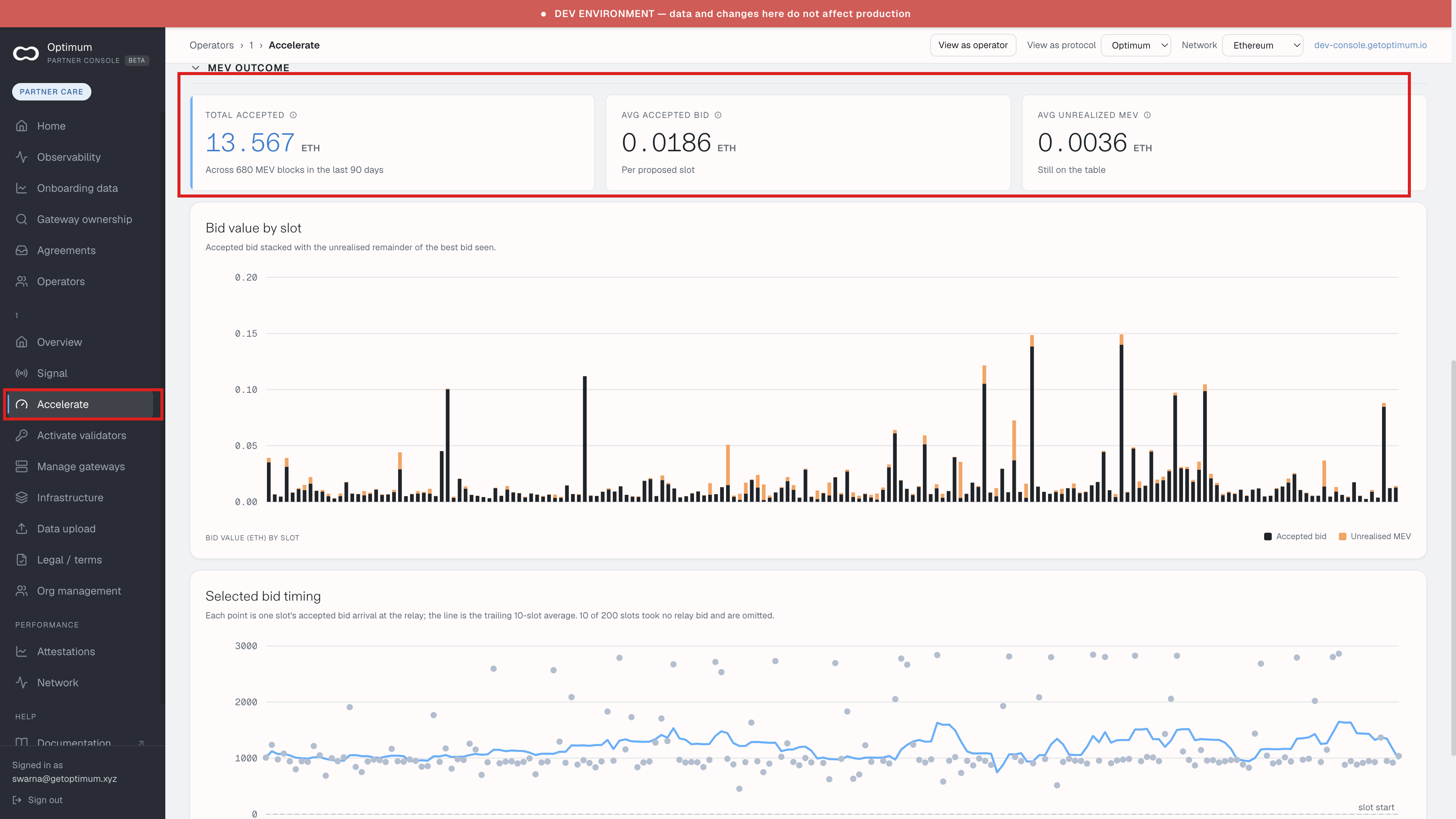
Open Accelerate in the sidebar. The proposal figures are on that screen. They are not a separate item under Performance.
Performance on this screen is Attestations and Network. Accelerate itself sits in the main sidebar group.
After a cutoff is on file, the screen can show two sections:
- Proposal CL results since last adjustment — proposals since the day after you recorded the cutoff, split into MEV, vanilla, and missed, and the average head-vote accuracy on the proposed blocks. Missed includes orphaned blocks. The data does not separate those two.
- MEV outcome — total accepted ETH, the average accepted bid per proposed slot, and average unrealised MEV still on the table. Bid value by slot stacks the accepted bid with the unrealised remainder of the best bid seen. Selected bid timing plots when each accepted bid arrived at the relay.
MEV outcome is collapsed until you open it.
If nothing has been measured since you recorded the cutoff, MEV outcome says so and shows the wider window the recommendation was read from. The note names that window, for example the last 90 days. The window starts the day after a change, so a cutoff recorded today has no since-change figures yet.
Total accepted is the sum of the relay bids you took in the window. It is everything captured there, not the part the cutoff change is responsible for.
No proposals in this window means none of your validators was assigned a block proposal in that range.
A failed read is a different message from an empty window. Refresh. If it persists, use Support.
Console stores a configuration only after it confirms you accepted the terms. Could not check the MumBoost terms means that check failed. Wait and refresh. This operator has not accepted the MumBoost terms means you need to accept them on Accelerate first. Both labels use MumBoost, the older name. See Older names on some screens.