
Create an account
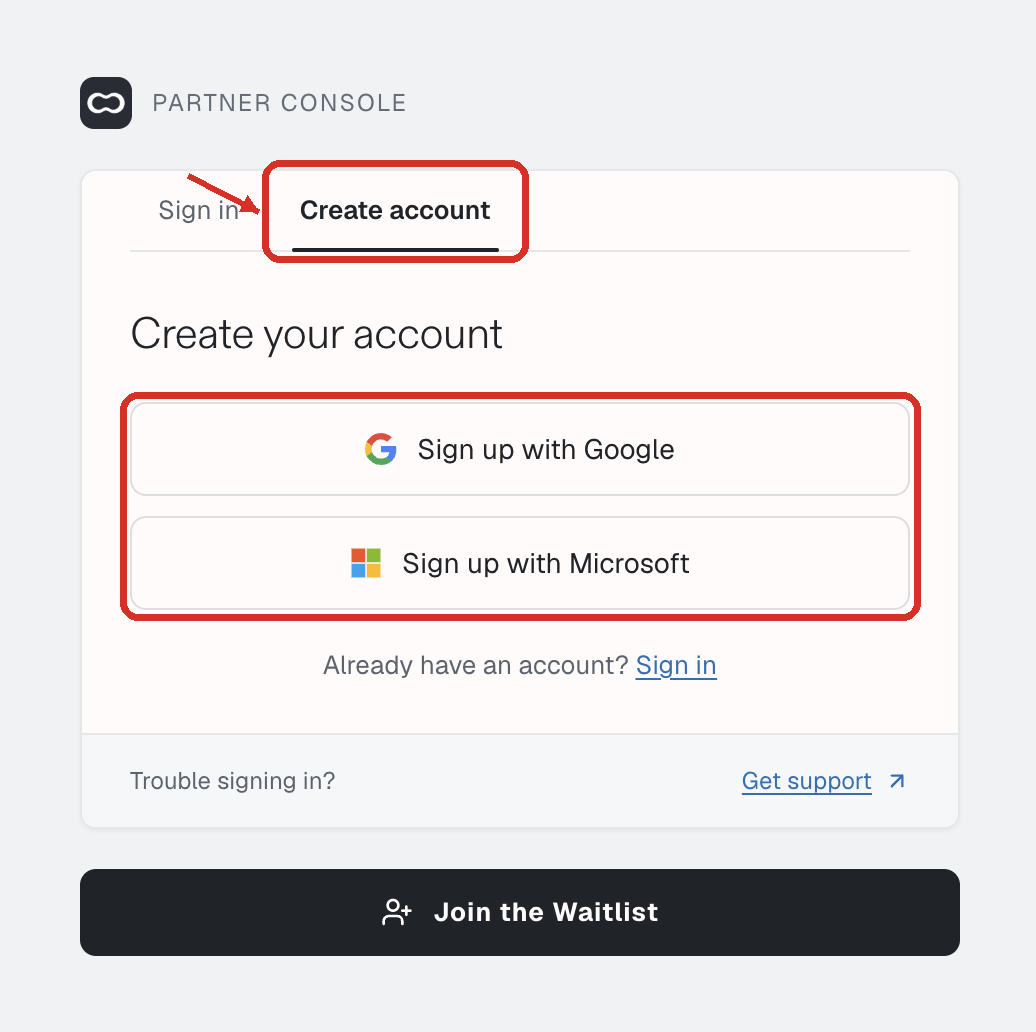
Open Console. The sign-in card has two tabs.
| Tab | Heading | Buttons |
|---|---|---|
| Create account | Create your account | Sign up with Google, Sign up with Microsoft |
| Sign in | Sign in to Console | Continue with Google, Continue with Microsoft |
Create account takes a new account into registration. Sign in takes you back to the console, or to the page you were opening. If you sign in with an account that has no organisation yet, finish registration from the button on the console home page (see below).
Trouble signing in? at the bottom of the card opens support.
The rail, once registration starts, is Account type, then Register org. Register org includes Do you run validators? Registration ends when the account exists. Gateway setup, validator indices, and Accelerate are on the console after that, not on this rail.
The last screen is Your account is ready. It lists the account type, the organisation or username, the contact, and whether you run validators, then Go to the console.
When signup is closed
If the card has no Create account tab, or signup shows a 404, self-serve signup is closed. Optimum creates the account for you, and you sign in with the Google or Microsoft account you gave them. Where Signal and Accelerate are enabled for your organisation, you use the same screens.
No organisation linked
No operator account linked to your user. means you signed in but registration never finished. While signup is open, the same screen shows Finish setting up your account, which returns you to registration. Without that button, ask support to link the account.